elba
Demo
All integrations

ChatGPT browser coverage

ChatGPT

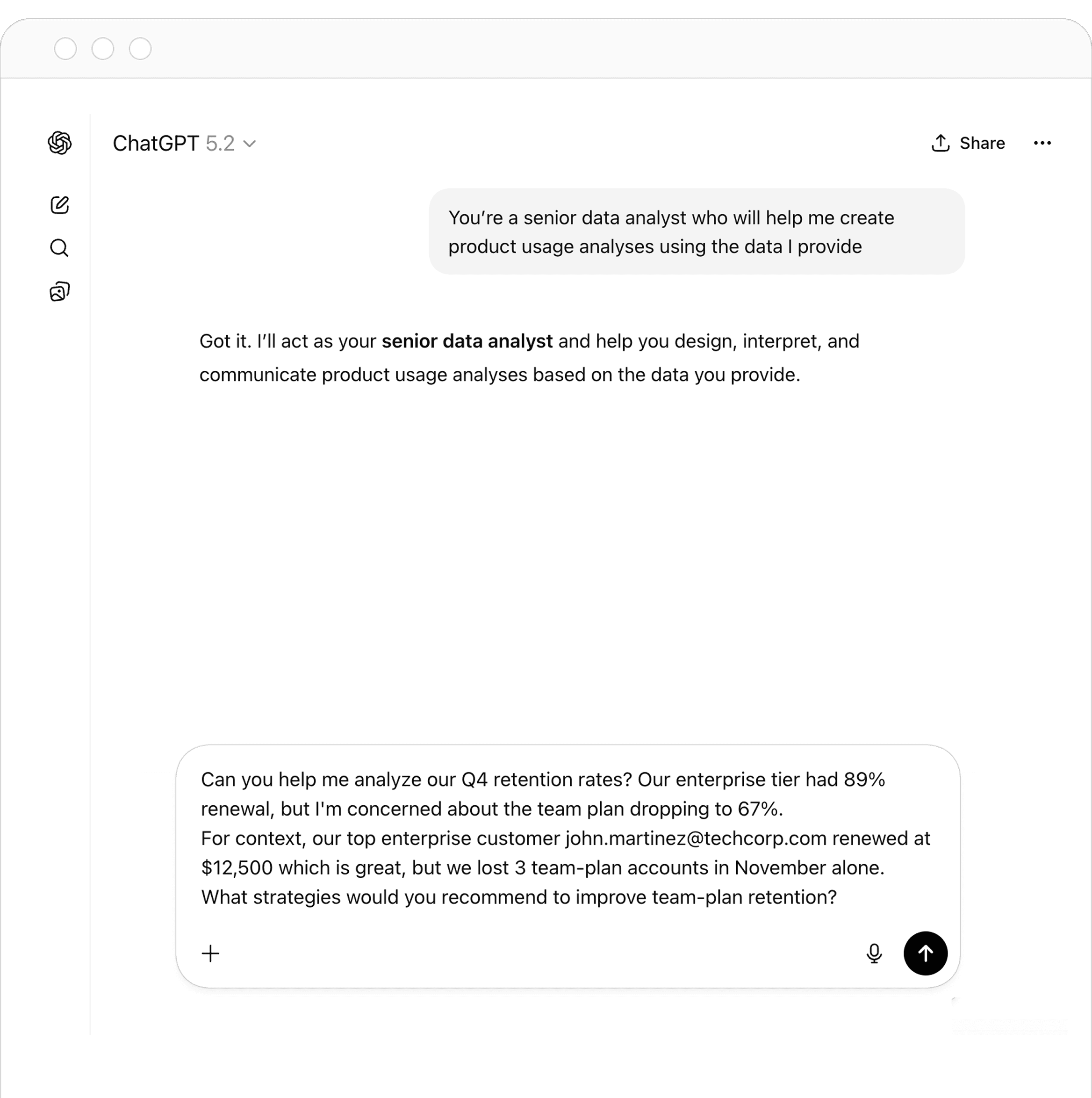
Protect sensitive work before it reaches ChatGPT

Use elba Browser Security to add privacy-safe account context, detect supported sensitive prompt and upload signals, and block eligible actions with a configured Playbook.

ChatGPT coverage is observed by the elba browser extension. It is not an OpenAI API or OAuth connector, and browser observations are not verified ChatGPT accounts.

Why cover ChatGPT

AI use happens before a traditional SaaS connector can help

Employees can enter sensitive text or attach files in a browser session regardless of whether the organization owns a connected application account. Browser-level controls give security teams a policy point at the interaction itself, while preserving the distinction between observed use and confirmed account access.

What elba finds

Privacy-safe signals from managed browsers

These findings are browser observations and should not be used as proof of an authoritative ChatGPT account.

  • Observed ChatGPT account state

    Classify a supported session as work account, personal account, no account signed in or unknown without exposing the detected account email address or domain in elba.

    Seen in the managed browser

  • Supported sensitive prompt signals

    Detect eligible sensitive-data findings when a configured Browser Security control evaluates a ChatGPT prompt.

    Seen in the managed browser

  • Supported sensitive file-upload signals

    Inspect file names and a bounded content excerpt for supported text-based uploads, and record an eligible sensitive-upload finding.

    Seen in the managed browser

What elba can change

Stop an eligible sensitive action before submission

Blocking requires a configured Playbook and a supported browser, file or prompt workflow.

  • Block a supported sensitive prompt

    A configured Playbook can prevent an eligible ChatGPT prompt action and show the employee an in-browser warning.

    Playbook automation

  • Block a supported sensitive file upload

    When sensitive data is detected in an eligible upload, a configured Playbook can stop the action with a clear in-browser warning.

    Playbook automation

  • Investigate the observed event

    Use Browser Logs and associated user and application context to review the finding and decide whether policy or user follow-up is required.

    Administrator step

Setup

Deploy, enroll and validate Browser Security

Coverage depends on the browser, operating system, deployment method and configuration selected for your organization.

  1. 1

    Deploy the elba browser extension to a representative managed-device pilot using the supported method for your browser.

  2. 2

    Have pilot users sign in and confirm that enrollment status is visible in elba.

  3. 3

    Validate the ChatGPT account-state and sensitive-data signals your policy intends to use.

  4. 4

    Configure a Playbook for the eligible prompt or file-upload event, test its warning and block behavior, then expand the rollout through device management.

Prove the control on a representative managed device

Test the complete path from extension enrollment to the intended browser outcome before broader deployment.

  • The extension is installed, signed in and reporting current enrollment for the test user.
  • A supported ChatGPT session produces the expected browser-observed account-state signal in Browser Logs.
  • A benign test matching the configured policy produces the expected warning or block without exposing account identifiers or a full URL in elba.
  • Unsupported or incompletely inspected files follow the documented behavior instead of being treated as fully analyzed.

Important boundaries

  • Browser-observed ChatGPT use is not a verified account and does not provide connector-confirmed OAuth access or account-remediation actions.
  • Availability depends on browser, operating system, extension enrollment and the Browser Security configuration shown in your workspace.
  • For binary files—including PDFs, Microsoft Office files, most images and archives—only file metadata is available; their contents are not extracted.
  • Incomplete or unavailable inspection does not by itself block an upload, and a Playbook must be configured for supported blocking behavior.

FAQ

ChatGPT browser security questions

Does elba connect to an OpenAI or ChatGPT account?

No. This coverage comes from the elba browser extension. It observes supported browser interactions and does not create an API or OAuth connection to ChatGPT.

Does elba send detected ChatGPT account details?

The account-state signal does not expose the detected email address or domain, page content, tenant-specific hostname or full URL in elba.

Can elba inspect every uploaded file?

No. Supported text-based files can provide a limited content excerpt. Binary formats expose metadata only, and incomplete inspection does not automatically block the upload.

Is a sensitive prompt or upload always blocked?

No. Blocking requires a supported interaction and an active Playbook configured for the corresponding sensitive-data event.

Put a policy point in front of sensitive AI actions

See how Browser Security can add accountable ChatGPT visibility and configured blocking without presenting observations as verified accounts.

Book a demo