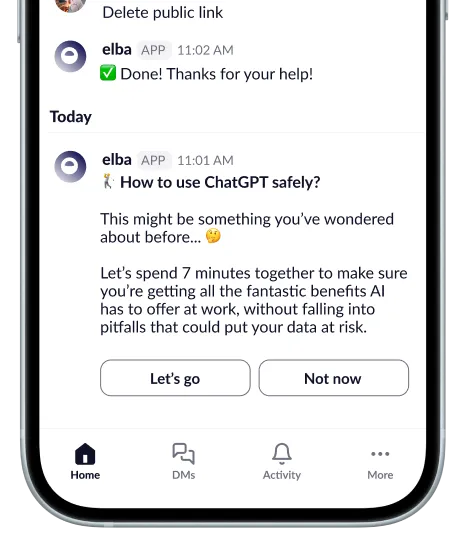
Contact the employee involved.
Match employees to active Slack accounts by email, then send them a direct message.

 Slack
SlackSend security actions and reminders to employees through Sam, Elba’s assistant. A separate Data Protection connection can identify supported risks in public channels.
Employee communications · Separate Data Protection connection
Product illustration · Example data and workflow.
Capabilities
Match employees to active Slack accounts by email, then send them a direct message.
Send reminders through Slack so employees know which security tasks need their attention.
Add the separate Slack Data Protection connection to find and act on eligible public-channel risks.
Example workflow
How the integration supports a specific security task.
Elba matches an employee to their active Slack account.
Sam sends the employee a security action or reminder in a direct message.
The employee opens the linked issue to review it and take the available action.
Related capability
Before you connect
Slack employee communications and Slack Data Protection are separate connections with different permission sets. Enabling one does not enable the other.
Explore security & privacyThe employee-communications connection is designed to match members and deliver supported conversations. Message analysis belongs to the separate Slack Data Protection connection.
Its current permission set does not grant access to private-channel history. It analyzes supported messages in public channels available to the authorized connection.
Supported conversations fall back to email. Check that the Slack member is active, is not a bot and uses the same email address as the employee record in elba.
No. A direct or Playbook action is available only when the separate Data Protection source and the specific message support it.
Other applications
Discuss your requirements
Review the available capabilities, required permissions, and setup for your environment with our team.


